
AI Outbound Calling App That Reaches Customers Automatically
Manual follow-ups waste time. Missed callbacks lose deals. VM AI is an AI outbound calling app built for U.S. businesses that automatically places follow-up calls, sales calls, appointment reminders, and re-engagement calls using a natural, human-like voice.
No dialers. No call center agents. No repetitive work.
VM AI calls customers for you — professionally, consistently, and at scale.
Download VM AI App Now:




One AI Outbound Calling App. Built for Growth.

Launch Outbound Campaigns in Minutes
Start making outbound calls the same day. Upload contacts, choose your script, and let VM AI begin calling automatically. No hardware. No complex setup.

Cost-Effective Outbound Calling
Reduce labor costs while increasing reach. VM AI replaces manual calling with intelligent automation at a predictable, affordable cost.

Scales With Your Calling Volume
From a few daily follow-ups to thousands of outbound calls, VM AI handles unlimited concurrent calls without delays or staffing constraints.
Why Manual Outbound Calling
No Longer Works
Outbound calling is essential — but doing it manually limits
growth and consistency.
Inconsistent Follow-Ups
Missed callbacks and delayed responses cause lost opportunities and poor customer experience.
Low Productivity
Sales reps and staff spend hours dialing, waiting, and repeating the same conversations.
Limited Reach
Humans can only make so many calls per day. Scaling outbound efforts becomes expensive and slow.
VM AI: A Smarter Way to Make Outbound Calls
VM AI automates outbound calls using AI trained on your business. It speaks naturally, follows scripts accurately, and adapts conversations in real time — just like a skilled caller. Every call is placed on time. Every message is delivered consistently. Every lead gets followed up.
Why Businesses Use VM AI for Outbound Calling
Automated Outbound Calls — 24/7
VM AI places outbound calls automatically based on your rules and schedules.
- Follow up with leads instantly
- Call customers outside business hours
- Never forget a callback again
- Stay consistent without manual effort
Your outreach never stops — even when your team does.


Business-Specific AI Call Scripts
VM AI uses scripts customized for your business, campaigns, and goals.
- Sales calls
- Lead follow-ups
- Appointment reminders
- Payment or renewal reminders
- Re-engagement campaigns
Every call follows your messaging, tone, and compliance requirements.
Smart Call Targeting & Control
You decide when, who, and how VM AI calls.
- ️Schedule calls by time zone
- Control retry logic and call frequency
- Avoid unnecessary repeat calls
- Stay compliant and professional
Outbound calling — without guesswork.


Lead Qualification & Call Outcomes
VM AI doesn’t just call — it listens, understands responses, and records outcomes.
- Capture interest levels
- Collect customer responses
- Identify hot, warm, or cold leads
- Send real-time summaries
Your team gets actionable insights — not raw call logs.
Integrated Scheduling During Calls
VM AI can book appointments directly during outbound calls.
- Confirm availability live
- Schedule meetings instantly
- Reduce back-and-forth
- Increase show-up rates
From call → calendar in one conversation.


Natural, Human-Like Voice Calling
VM AI uses a calm, natural voice designed for U.S. customers.
- Sounds conversational, not robotic
- Maintains professional tone
- Handles objections smoothly
- Delivers consistent experience
Calls feel real — not automated.
Advanced Outbound Calling Features
Custom Outbound Greetings
Personalize how VM AI introduces itself on outbound calls.
Call Timing & Scheduling Controls
Set calling windows to respect customer time zones.
Multi-Language Outbound Calls
Reach diverse audiences with multilingual calling support.
SMS Follow-Ups After Calls
Send texts automatically after completed calls.
Intelligent Retry Logic
Retry unanswered calls intelligently without spamming.
Live Call Transfers
Transfer interested prospects to your team instantly.
Instant Notifications
Receive email and SMS alerts for call outcomes.
Call Recordings & Transcripts
Review conversations for quality, compliance, and optimization.
How the VM AI App Works
Getting started with VM AI takes just minutes. Install the app, customize your AI call scripts, and connect
your calls using a VM AI number or your existing line. VM AI then handles incoming and outgoing calls
automatically, captures leads, and keeps you updated in real time.
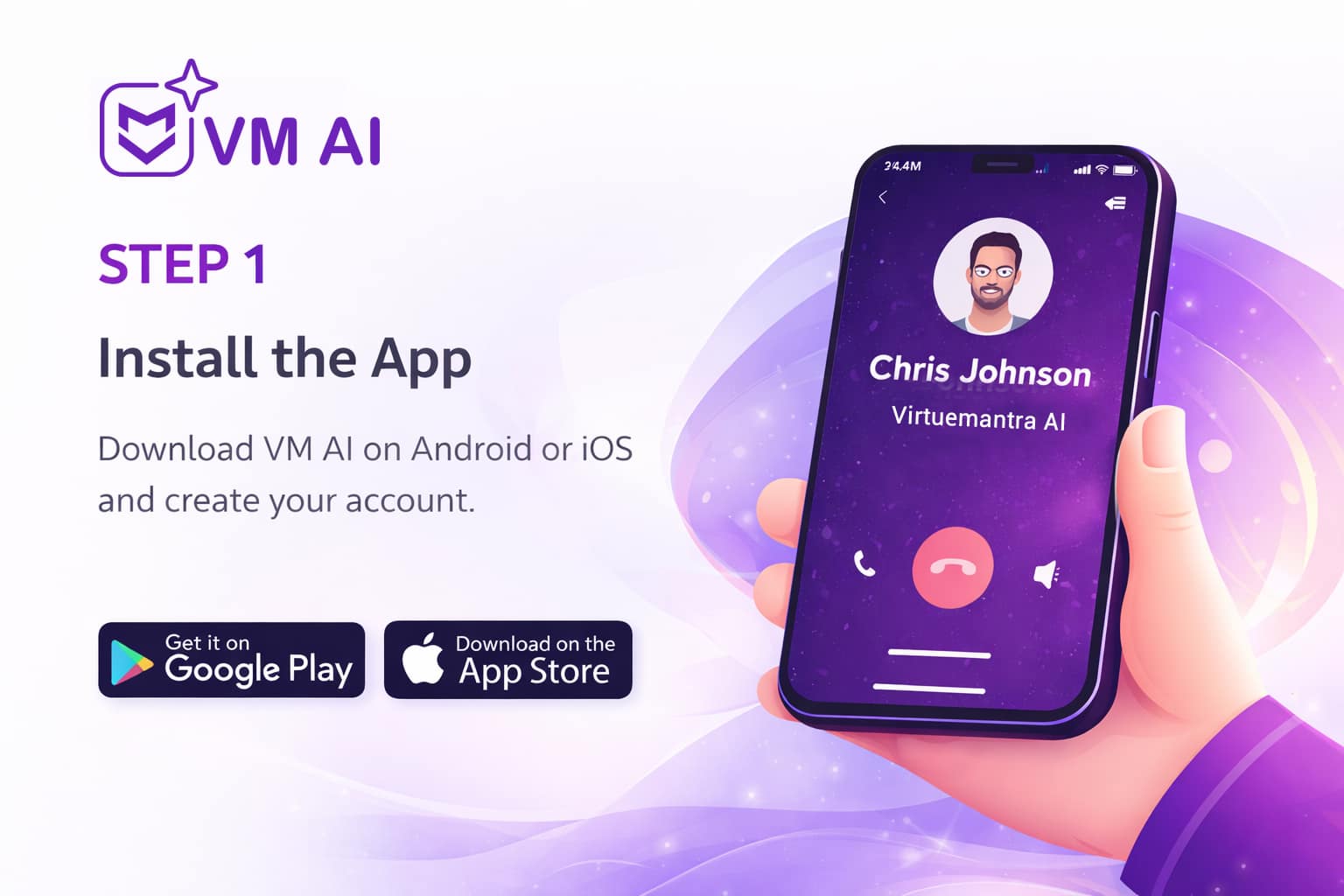
STEP 1 — Install the App
Get started in minutes
Download the VM AI app on Android or iOS and create your account.
No complicated setup, no technical skills required.
Your AI assistant is ready the moment you sign up.
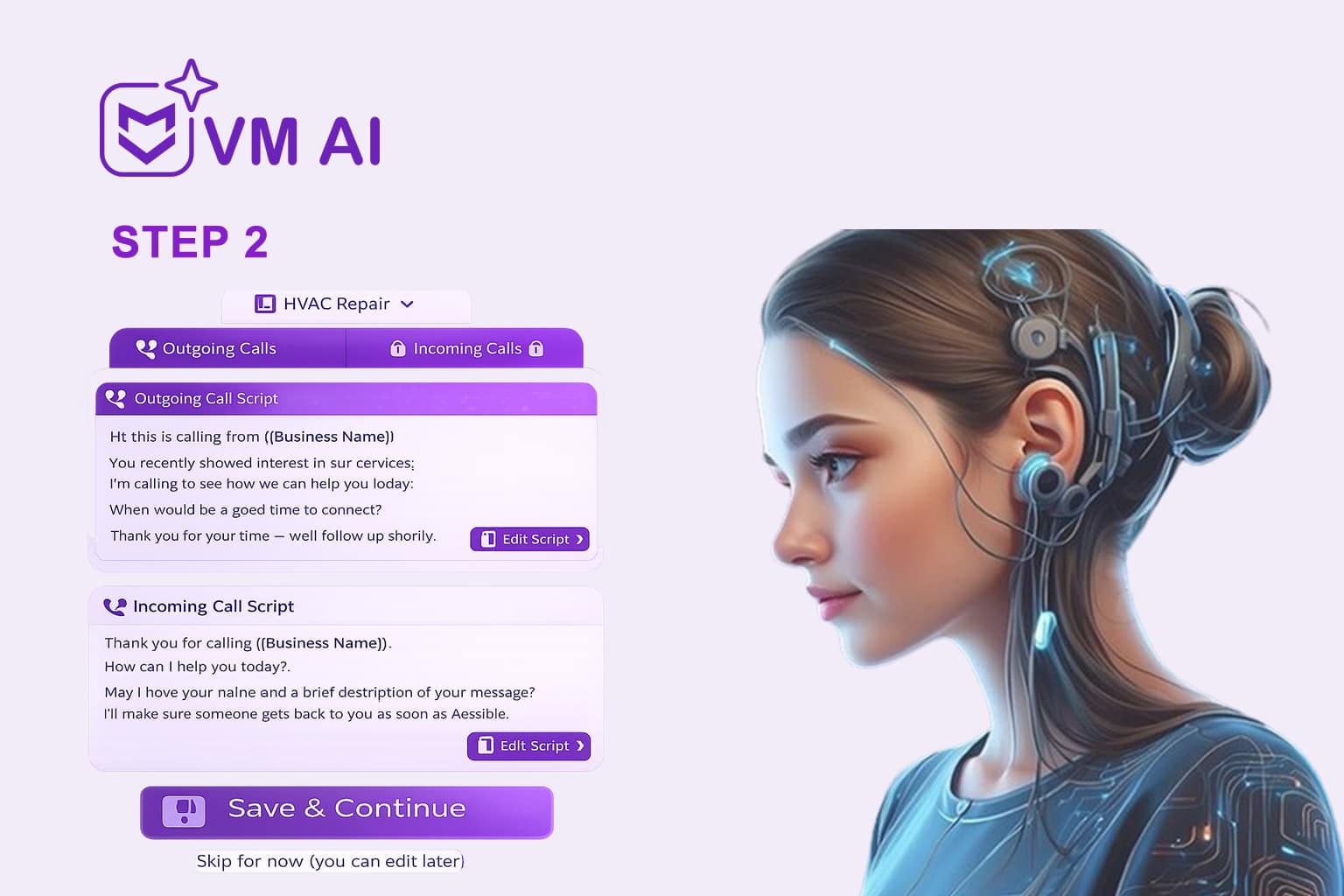
STEP 2 — Set Up Your AI Knowledge Base
Teach your AI how to talk
Customize how VM AI handles incoming and outgoing calls using ready-made sample scripts.
- Separate scripts for incoming and outgoing calls
- Fully editable at any time
- Preloaded based on your business type
You stay in control of what your AI says — always.
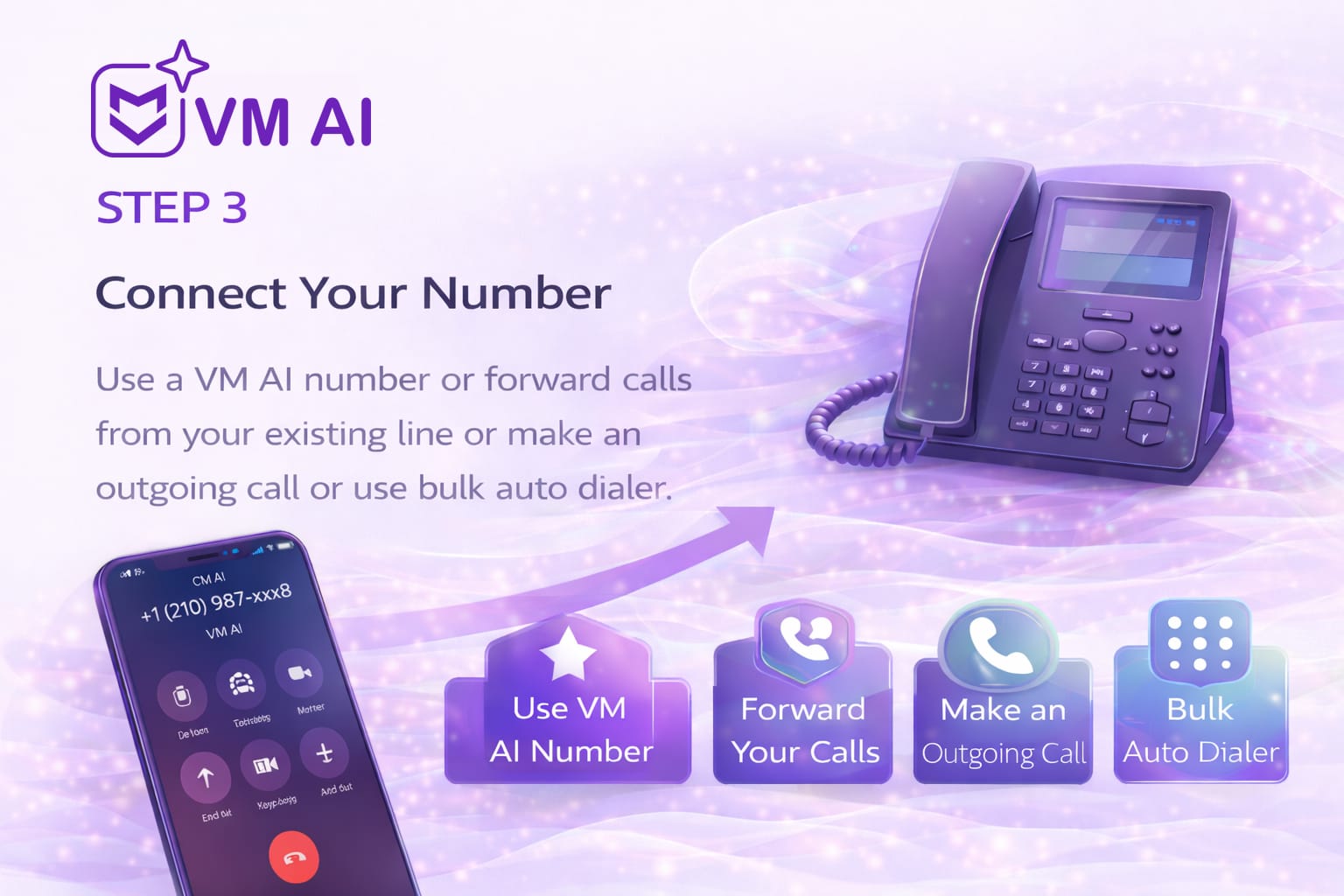
STEP 3 — Connect Your Calls
Use VM AI your way
Choose how VM AI handles your calls:
- Use a VM AI phone number
- Forward calls from your existing number
- Make outgoing calls directly from the app
- Run bulk auto-dialer campaigns
No hardware. No number changes required.
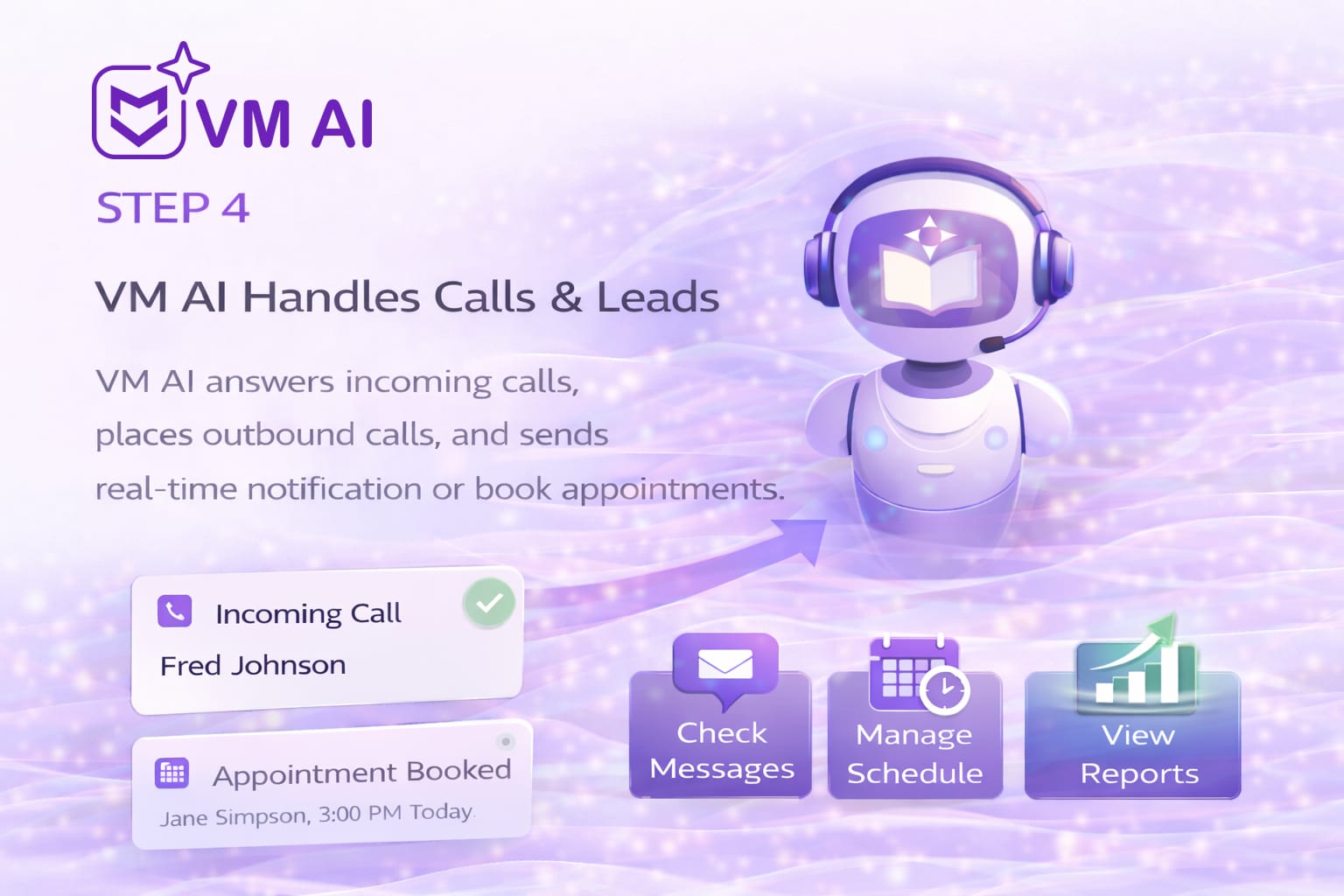
STEP 4 — VM AI Handles Calls & Leads
Never miss another opportunity
VM AI works 24/7 to:
- Answer incoming calls like a real human
- Place outbound follow-up calls
- Capture leads and customer details
- Send real-time notifications
- Book appointments automatically
While you focus on your business, VM AI handles the phone.
Ready to stop missing calls?
Download VM AI and activate your AI assistant today
Pricing & Plans
- Inbound AI call answering
- Outbound AI calling
- Bulk calling (auto dialer)
- 1 free AI business phone number
- Natural, human-like AI voice
- Call summaries and transcripts
- Call recordings and logs
- Upload contact lists
- Android & iOS app access
- 24/7 availability
- Real-time notifications
- No setup fees or contracts
- Free WhatsApp support
- Inbound AI call answering
- Outbound AI calling
- Bulk calling (auto dialer)
- 1 free AI business phone number
- Natural, human-like AI voice
- Call summaries and transcripts
- Call recordings and logs
- Upload contact lists
- Android & iOS app access
- 24/7 availability
- Real-time notifications
- No setup fees or contracts
- Free WhatsApp support
- Inbound AI call answering
- Outbound AI calling
- Bulk calling (auto dialer)
- 1 free AI business phone number
- Natural, human-like AI voice
- Call summaries and transcripts
- Call recordings and logs
- Upload contact lists
- Android & iOS app access
- 24/7 availability
- Real-time notifications
- No setup fees or contracts
- Free WhatsApp support
All plans include…
- Usage-based calling with transparent per-minute pricing
- VM AI trained on your business using your rules, scripts, and FAQs
- Custom agent name and greeting for a branded caller experience
- Real-time call notifications via email and in-app alerts
- 24/7 availability with support for multiple simultaneous calls
- Incoming and outgoing call handling from a single app
- Call recordings, transcripts, and AI summaries for every conversation
- Custom questions and responses tailored to your business needs
- U.S. phone numbers with your preferred area code
- Enterprise-grade data security and secure call storage
What VM AI Users Say
Used by Businesses Across Industries
From accounting firms to service businesses, professionals rely on VM AI
every day to manage calls efficiently.


Frequently Asked Questions
What is an AI outbound calling app?
An AI outbound calling app automatically places phone calls to customers or leads using artificial intelligence. VM AI makes outbound calls on your behalf for follow-ups, reminders, confirmations, and outreach—using a natural, human-like voice.
What types of outbound calls can VM AI make?
VM AI can place outbound calls for lead follow-ups, appointment reminders, customer confirmations, re-engagement campaigns, and other business-approved outreach based on your scripts and rules.
Does VM AI sound like a real person on outbound calls?
Yes. VM AI uses a natural, human-style voice designed for U.S. callers. Conversations are calm, professional, and structured—so calls feel authentic and trustworthy.
Can I control what VM AI says on outbound calls?
Yes. You fully control outbound call scripts. You can customize introductions, questions, responses, and call flow to match your business goals and compliance needs.
How do I start an outbound calling campaign?
Simply upload your contact list, select or create a call script, and launch your campaign from the app. VM AI handles dialing and conversations automatically.
Can VM AI schedule appointments during outbound calls?
Yes. VM AI can book appointments during live outbound calls by confirming availability and recording the booking directly in your system.
Does VM AI support follow-up and retry calling?
Yes. VM AI can be configured to follow up with leads or customers based on your rules, ensuring timely callbacks without manual effort.
Will I be notified when VM AI completes an outbound call?
Yes. VM AI sends real-time app notifications with call outcomes, summaries, and lead details so you can stay updated without monitoring calls manually.
Are outbound calls recorded?
Yes. VM AI provides call recordings and call summaries so you can review conversations, track outcomes, and improve future campaigns.
Can VM AI transfer calls to my team?
Yes. If a caller shows interest or requests to speak with someone, VM AI can transfer the call to you or your team based on your setup.
Is VM AI suitable for sales and follow-up teams?
Yes. VM AI is ideal for U.S. sales teams, service businesses, and local companies that need consistent outbound follow-ups without increasing staffing costs.
Does VM AI make cold calls?
VM AI is designed for business-approved outbound calls such as follow-ups, reminders, confirmations, and re-engagement. You control who is called and when.
How is VM AI different from auto dialers?
Unlike traditional auto dialers, VM AI conducts real conversations, listens to responses, and adapts the call flow instead of playing pre-recorded messages.
Is VM AI easy to set up?
Yes. Most businesses launch outbound calling within minutes. Install the app, create scripts, upload contacts, and start calling.
Can I stop or pause outbound campaigns anytime?
Yes. You can start, pause, or stop outbound calling campaigns directly from the app at any time.
Is my data secure?
Yes. VM AI uses secure infrastructure and enterprise-grade data protection to safeguard call data and customer information.
Can I use VM AI for both inbound and outbound calls?
Yes. VM AI supports both incoming call answering and outbound calling within the same platform.
Start Booking More AI Outbound Calling Clients Today
Turn every call — incoming or outgoing — into an opportunity.
